A few simple habits that make your money easier to understand.
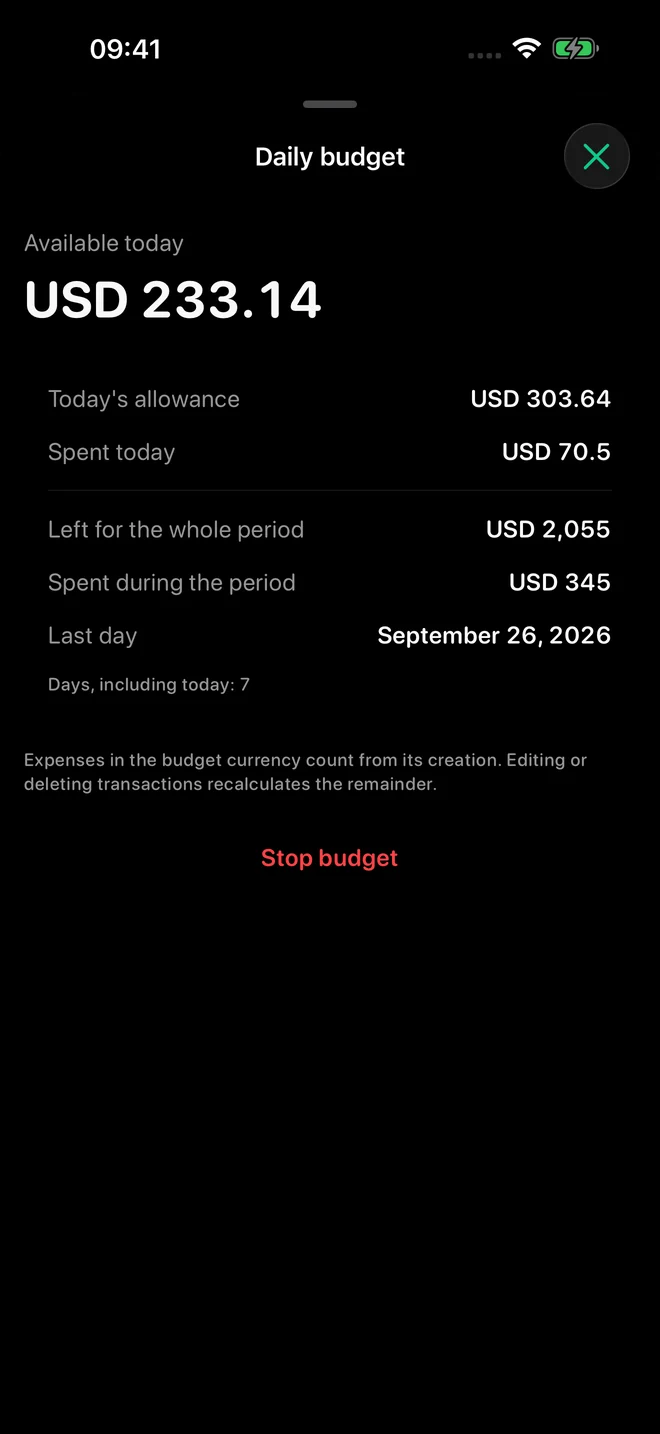
A budget for every day
Make room for today. And tomorrow, too.
Set your available money and the date it needs to last until. MoneyFlow calculates a daily allowance. Add unused money to today or spread it across the days ahead.
Small decisions. A real difference.
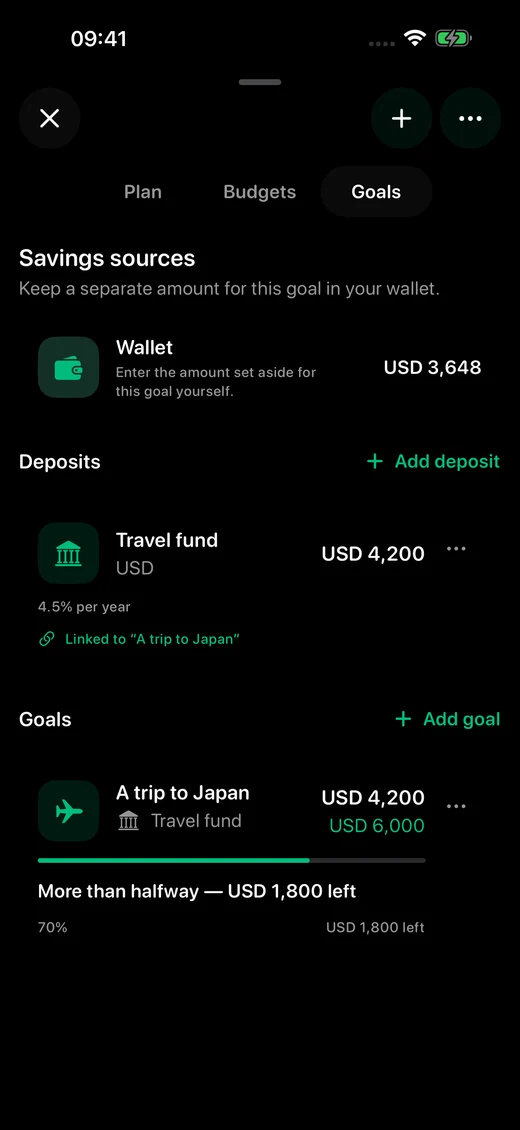
Savings and goals
Give your dream a plan.
A trip, a new laptop, or a little peace of mind. Follow your savings goal and link it to a wallet or a deposit.
↗
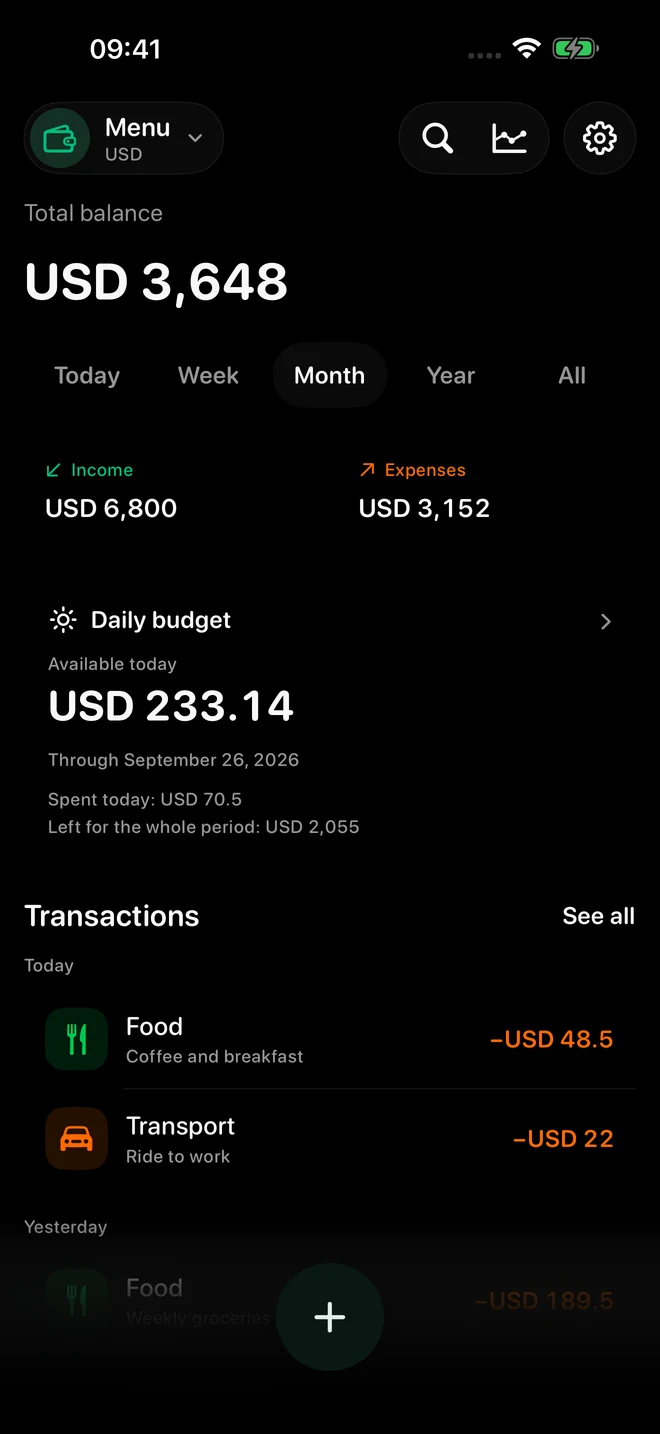
See where it all goes
Transactions, categories and insights. Find an entry by its name, category or note.
12
In your currency
Tenge, dollars, euros and 9 more currencies. Keep records in the currency you actually use.
Aa
Make yourself at home
English and Russian, light and dark themes. Optional reminders to build your routine.
Personal means personal
Your finances. For your eyes.
Your records live on your device. When iCloud is available, they can sync across your devices. No separate MoneyFlow account. No advertising trackers.
No separate MoneyFlow account is needed. Records are stored on your device, so you can keep tracking offline. An internet connection and available iCloud access are needed to sync between your devices.
Why have my records not appeared on another device?
Check that both devices use the same Apple Account, MoneyFlow has iCloud access, an internet connection is available and your iCloud storage is not full. You can check iCloud status in your MoneyFlow profile. Sync can take time; refreshing the status checks iCloud availability and does not guarantee immediate delivery of every record.
How does the daily budget work?
Enter the money available and the date it needs to last until. MoneyFlow calculates a daily allowance and tracks expenses. You can add unused money to today's allowance or spread it over the remaining days. Ending the budget does not delete your transactions.